The Permission System Explained
Evrykit uses a role-based permission system where every action in the application is controlled by a named permission. Access is determined by evaluating the user's roles and any individual overrides.
Permission States
Every permission can be in one of three states:
| State | Meaning |
|---|---|
| Default | Inherits whatever the role grants (usually deny for sensitive actions) |
| Grant | Explicitly allowed, regardless of role settings |
| Deny | Explicitly blocked, even if a role grants the permission |
Priority: Deny > Grant > Default (role grant)
Roles
A role is a named set of permissions (e.g. Cashier, Sales Rep, Accountant). Users can be assigned multiple roles — permissions are merged, with Deny always winning.
Creating a Role
Go to Administration → Roles → New:
- Name the role
- For each permission, choose Grant, Deny, or Default
- Save
Assigning Roles to Users
Open the user record and assign one or more roles. Changes take effect on the user's next page load.
Permission Hierarchy
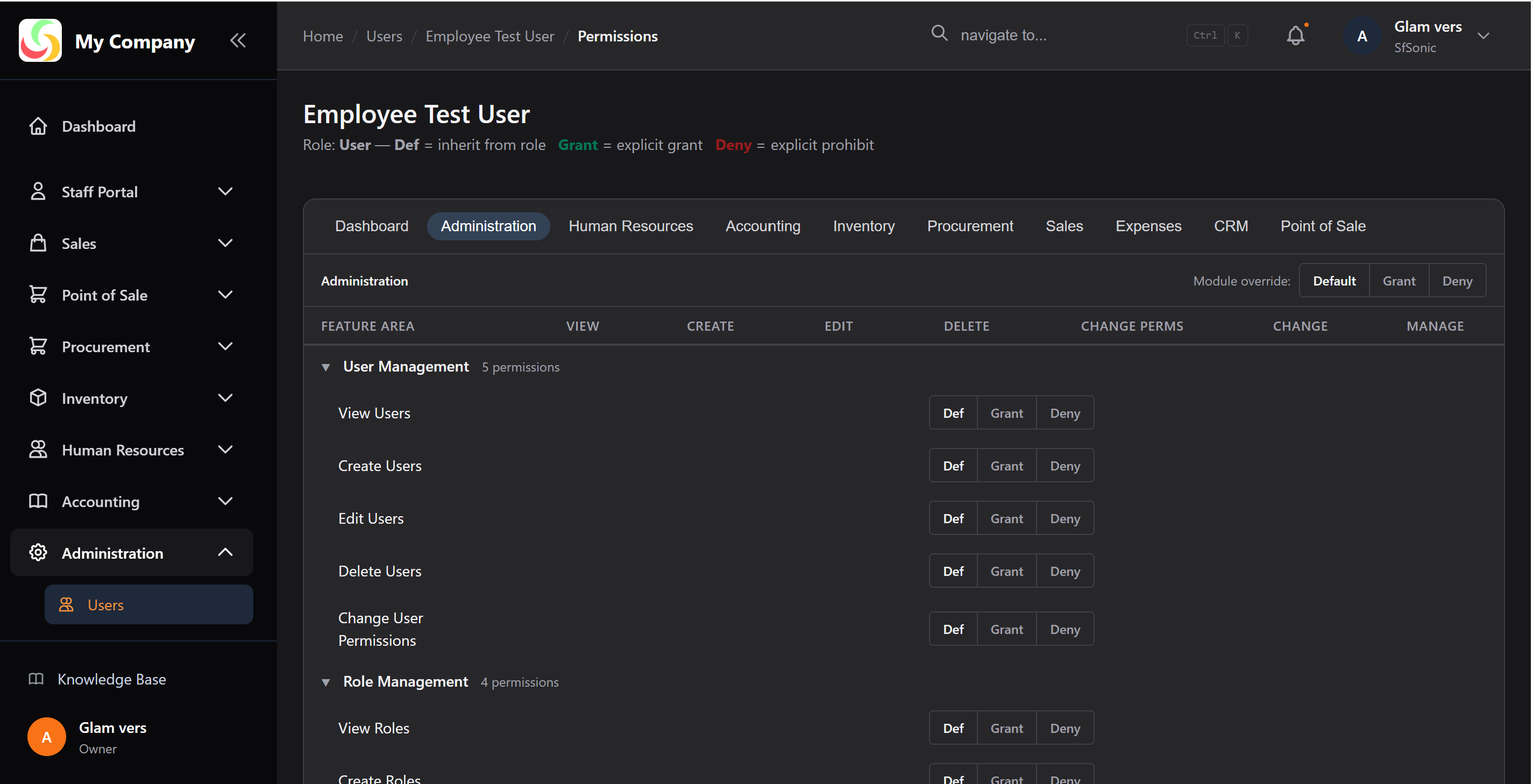
Permissions follow a parent → child tree:
Pages.Sales                    ← Parent: can view Sales module
├── Pages.Sales.Orders         ← Can access Orders section
│   ├── Pages.Sales.Orders.View    ← Can list/view orders
│   ├── Pages.Sales.Orders.Create  ← Can create new orders
│   └── Pages.Sales.Orders.Confirm ← Can confirm orders
Granting a parent permission implicitly grants the parent-level check. Child permissions are checked separately for specific actions.
Troubleshooting Access
If a user cannot access a page or button:
- Check the user's assigned roles
- Verify the role grants the relevant permission
- Check for a Deny override on the user or another role
- Check the permission hierarchy — the parent permission may also be needed