Opening a POS Session
Every day's POS activity is contained in a session. You must open a session before you can process any sale. Only one session can be open at a time per tenant.
Who Can Open a Session
You need the POS Terminal permission. Check with your administrator if you cannot see the POS menu.
Opening a Session
- Go to Point of Sale → Terminal (or click the POS icon in the sidebar)
- If no session is open, you will see the Open Session prompt
- Enter the Opening Float — the cash amount in the till before any sales
- Click Open Session
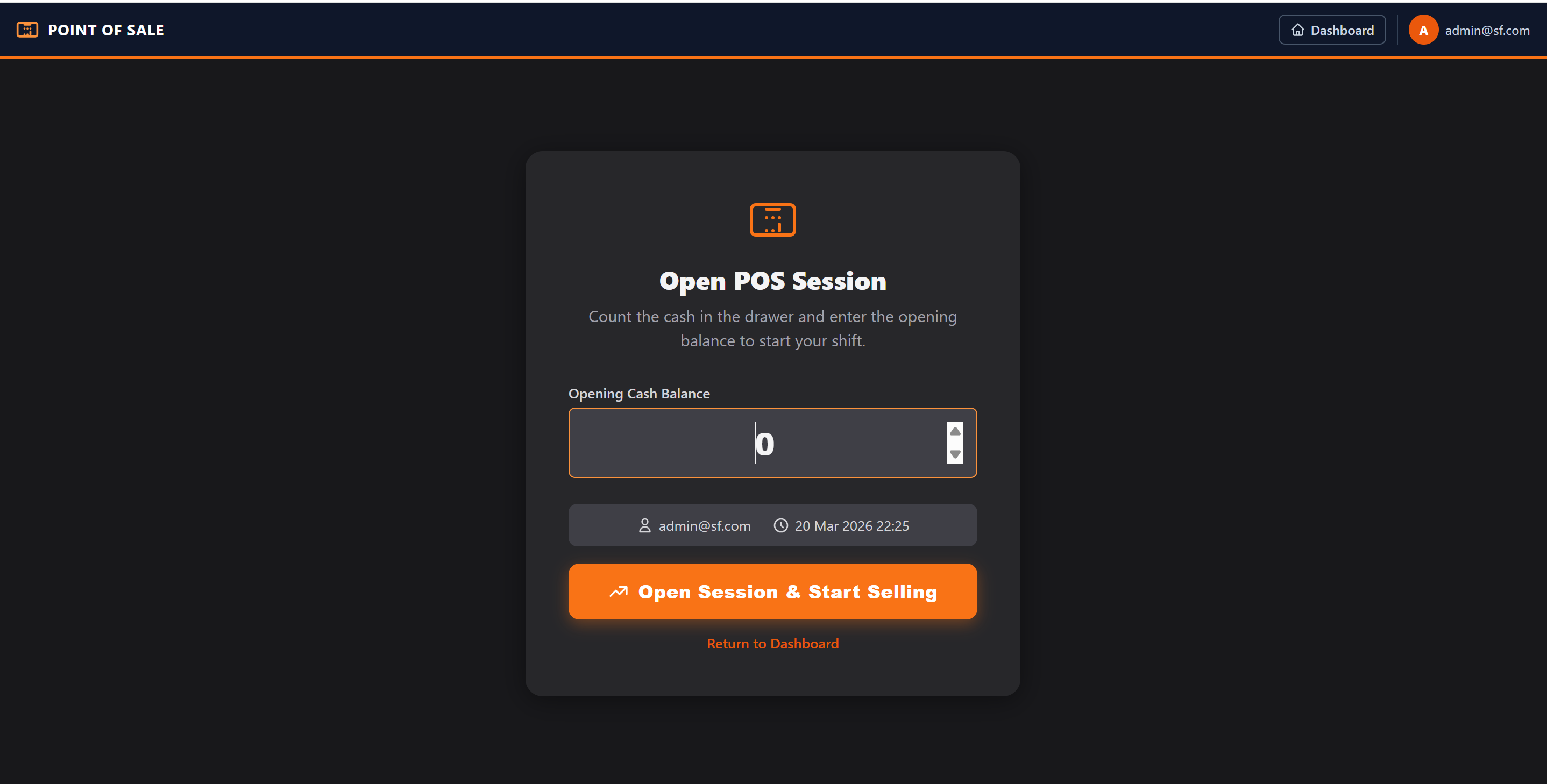
The terminal is now ready to process sales.
Opening Float
The opening float is the starting cash in your till. It is recorded for reconciliation at session close. Common amounts: 0 if no change float is needed, or e.g. KES 5,000 if you pre-load change.
Session Status on the Dashboard
The POS Session dashboard widget shows:
- Whether a session is Open or Closed
- The cashier's name and session start time
Multiple Cashiers
Currently, one session is shared across the tenant. If multiple cashiers work at different tills, they all work under the single open session. Each transaction records the cashier's name individually.