Session & Daily Reports
Evrykit provides two POS reports: the Daily Report (across all sessions for a date) and the Session Summary (a single cashier session).
Daily Report
Go to Point of Sale → Daily Report.
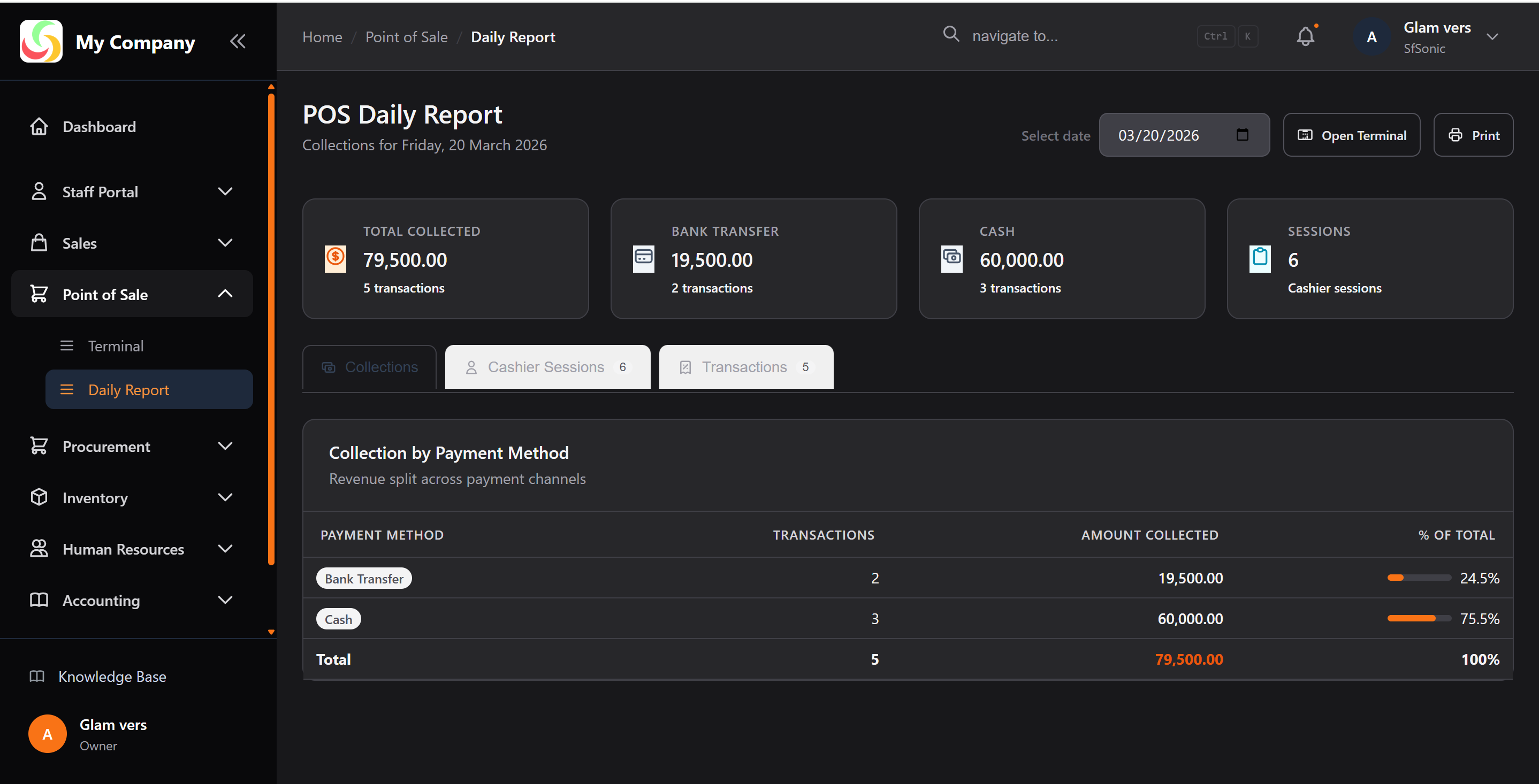
The report is split into three tabs:
Collections Tab
Shows total cash collected broken down by payment method (Cash, M-Pesa, Card, etc.) with a percentage share bar.
Grand Total = sum of all completed (non-voided) transactions.
Cashier Sessions Tab
Lists all sessions opened on the selected date with:
- Cashier name
- Opening balance (float)
- Transaction count
- Total collected
Transactions Tab
A full list of every POS transaction for the day, showing:
- Reference number
- Time
- Customer
- Payment method
- Status (Completed / Voided)
- Amount
Click Receipt to reprint any transaction's receipt.
Session Summary
Open a specific session from the Cashier Sessions tab to see the Session Summary — the same breakdown but scoped to one session.
Closing a Session
At end of shift:
- Go to Point of Sale → Terminal
- Click Close Session
- Count your till and enter the Closing Balance
- Click Close
The session is now closed. A closed session appears in the Daily Report with both opening and closing balances.
Reconciliation
Compare:
- Expected Cash = Opening Balance + Cash sales total
- Actual Cash = Closing Balance entered
Any difference is an over/short that your manager should investigate.