Reorder Levels & Alerts
A Reorder Level is the minimum quantity on hand at which you should reorder a product. When stock falls below this threshold, the item is flagged as Low Stock.
Setting a Reorder Level
Go to Inventory → Reorder Levels → New.
| Field | Description |
|---|---|
| Product | The product this level applies to |
| Reorder Level | Minimum quantity — trigger for low-stock alert |
| Reorder Quantity | Suggested order quantity (informational) |
💡 You can also set a default reorder level directly on the product card.
Priority: Product vs Reorder Level
If a Reorder Level record exists for a product, it takes priority over the product's default reorder level. This allows warehouse-specific or period-specific thresholds.
Monitoring Low Stock
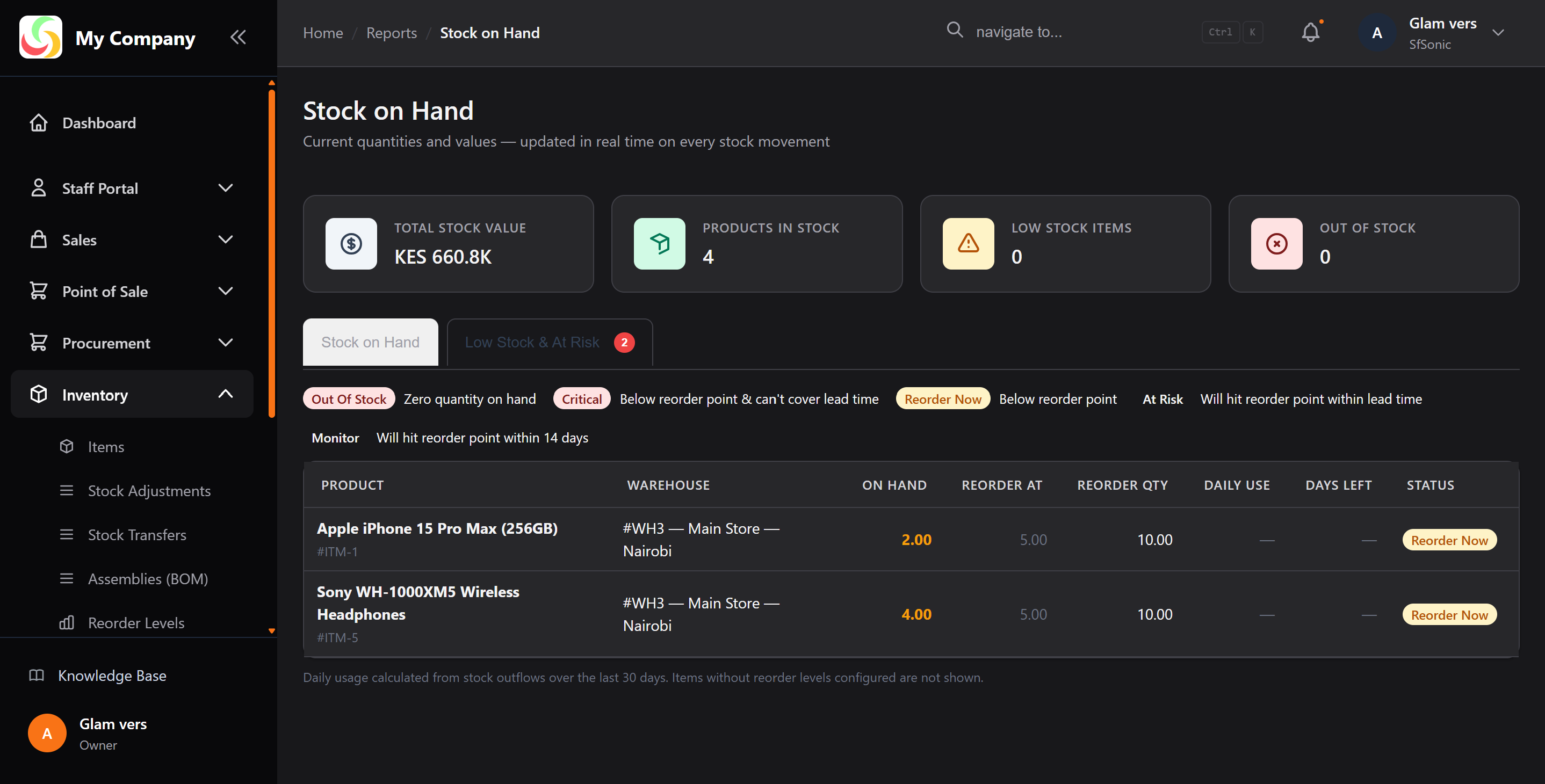
Dashboard Widget: The Low Stock Items stat widget shows the count of products below their reorder level in real time.
Reorder Level Report: Go to Inventory → Stock On Hand and filter by Below Reorder Level to see a list of all items needing replenishment.
Generating a Purchase Order
From the low-stock report, identify which supplier to order from and create a Purchase Order manually. (Auto-PO generation is planned for a future release.)